
How To Create Engaging Video Content
Creating video content that truly grabs attention can feel a bit overwhelming these days. There’s so much out there, and competing for eyeballs means you need more than just a camera. You need to know how to make things interesting from start to finish. Over time, I’ve picked up a bunch of tips and tricks that help videos stand out and actually keep people watching. In this article, I’m breaking down everything you need to craft videos that truly connect with your viewers and leave them wanting more.
Why Engaging Video Content Matters
Video isn’t just popular; it’s become the main way people learn and get entertained online. Recent reports from Wyzowl say nearly 91% of businesses use video as a marketing tool, and social media feeds are packed with both polished and off-the-cuff video clips. But with all that competition, just hitting “record” won’t cut it. If a video feels boring, too long, or unclear, people swipe away fast. Making something that sticks in people’s minds often comes down to truly understanding what audiences care about, and how to deliver it in a way that’s fun and easy to follow.
Understanding this isn’t just for big brands or professional creators, either. Even if you’re an indie entrepreneur, a teacher, or just sharing a hobby, grabbing attention through engaging visuals and storytelling helps you reach more people and leaves a bigger impact.
First Things First: Know Your Audience and Goal
Before touching a camera or script, I always start by making sure I’m clear about who my video is for and what it’s supposed to do. Different audiences want different things. Teens on TikTok probably expect fast cuts and humor, while a YouTube how-to audience might prefer step-by-step instructions. Defining a specific goal also shapes everything, from your filming style to the editing process.
- Define your audience: Think about age, interests, and what they want from your video. If you’re not sure, check comments or reviews on similar videos for clues.
- Set a clear goal: Are you trying to teach, inspire, entertain, or sell something? Knowing this makes your planning so much smoother.
- Pick one main message: Sticking to a single main idea keeps your video focused and more engaging.
Dig into your audience’s preferences by checking what content gets the most comments and shares in your niche. Tools like Google Trends, YouTube Analytics, and even Reddit discussions can help you spot gaps and opportunities. This process takes time to master, but being specific always pays off in making video content that feels “just right” for the viewer.
Building Blocks of Great Video Content
Most memorable videos have a couple of things in common: they tell a good story, keep a good pace, and look and sound clear. Here’s what really helps:
- Strong hook: Draw viewers in within the first few seconds. Start with a question, a bold statement, or something surprising.
- Clear structure: Organize your video into a simple path; introduction, main content, and a wrap-up. This helps people stay engaged and know what’s coming.
- Visuals that pop: Even on a budget, lighting, color, and thoughtful framing make a big difference. I love using props, overhead shots, or quick closeups to keep things dynamic.
- Crisp audio: Clear sound is just as important as what’s on screen. If you can, use an external mic, and always make sure your space is quiet.
- Pacing and editing: Cutting out dead air and keeping things moving helps hold attention. Transitions, captions, and sound effects also add a nice polish.
Another handy tip is to keep your branding or personality consistent in your videos. It could be the way you greet viewers, your editing style, or the colors you use throughout your content. Consistency is a simple way to make your content more memorable and professional.
Step-By-Step Guide to Creating Engaging Videos
- Find your topic and angle: Pick a subject people are curious about, but add your own spin. I look for trending questions or common problems in my niche.
- Outline or write a loose script: You don’t always need a word-for-word script, but jotting down main points keeps you on track and prevents rambling.
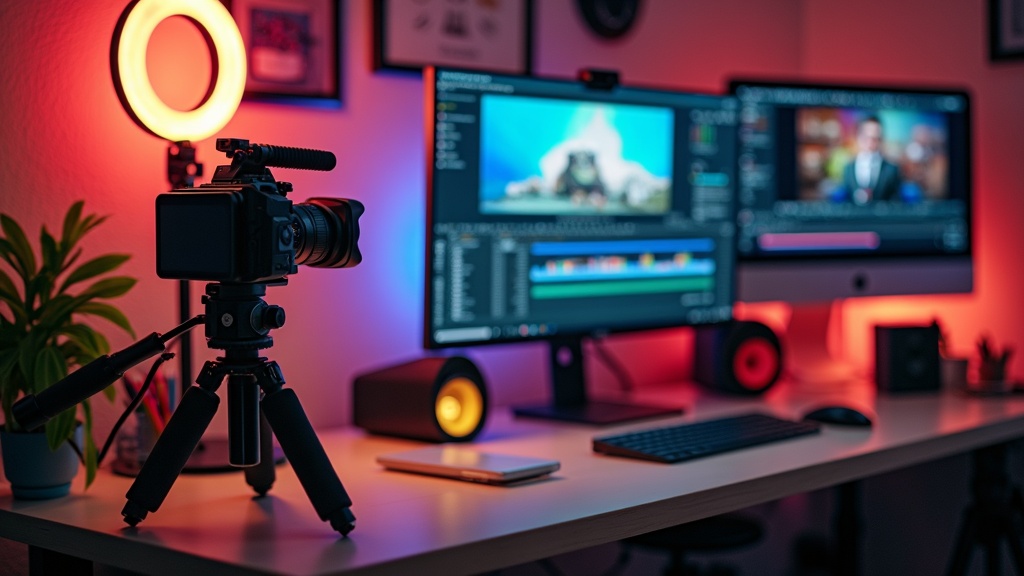
- Gather your gear and set up: Good video doesn’t always mean expensive equipment, but a tripod, a basic light, and your phone go a long way. I make sure my background is tidy (or interesting) before hitting record.
- Shoot with intention: Record more footage than you need, but stay mindful of your main message. I like to film different angles or a few extra takes, just in case.
- Edit for clarity and pace: Cut out filler words and long pauses. Add text, graphics, or b-roll where needed. There are plenty of free and paid apps that are pretty easy to use, even for beginners.
- Optimize for your platform: Different platforms favor different lengths and formats. Square or vertical videos work best for Instagram and TikTok, while longer horizontal clips are great for YouTube.
This process isn’t set in stone, but having a reliable workflow helps speed things up and keeps your content looking sharp every time. If you’re just starting, you might want to keep your first few videos simple while you get used to the process.
What to Watch Out for When Making Videos
Getting started with video is exciting, but there are a few common trip-ups that can slow down your progress or frustrate viewers. Here’s a quick rundown of issues that pop up, along with some fixes I’ve learned along the way:
- Shaky camera work: Using a tripod or a simple phone mount helps a ton. If you need movement, walk slowly and use both hands.
- Poor lighting: Natural light from windows works wonders. If you film outside, avoid shooting midday when sunlight is harsh.
- Background distractions: Keep your backgrounds simple so viewers aren’t staring at busy patterns or messy rooms. Even a plain wall works!
- Overly long intros: Jump straight into your topic, or risk losing people before you actually get started.
Shaky Footage
Blurry or jumpy shots can be distracting. Investing in a basic tripod makes a big difference, and some editing apps have built-in stabilizers for minor shakes. If all else fails, crop your video a bit tighter so it doesn’t look so wobbly. A steady shot instantly makes your content more professional and gives viewers a better experience.
Lighting Issues
Harsh shadows or washed-out faces usually come down to lighting. Placing a lamp behind your camera (aimed at your face) can quickly boost video quality. Shooting during the “golden hour” in the morning or evening also improves the look of your video with softer, warmer light. I often experiment with different lamp placements, such as bouncing light off a wall for a subtle, diffused glow. It’s worth it to test lighting setups for a couple minutes before you start shooting.
Audio Problems
If your audio is buzzy or hard to hear, viewers might tune out. When possible, film in a quiet room with soft furnishings to absorb echoes. For under $30, a clipon microphone can bring your sound quality up fast, and many phones have surprisingly good builtin mics when held close. Also, turning off fans and loud appliances helps keep your recording clean.
Staying on Track
It’s easy to drift off topic. Keeping an outline or checklist near your filming setup helps you stick to your main points. I’ve saved myself in editing more than once, just by glancing at post-it notes to make sure I didn’t ramble. If you find you’re wandering, don’t be afraid to pause, regroup, and pick up from a strong point.
Even small improvements in these areas can really give your video a boost. Over time, ironing out these kinks gets faster and much more natural, and your viewers will notice the higher quality.
Simple Upgrades to Give a Boost to Engagement
Beyond basics, a few small tweaks can raise your videos from “pretty good” to “people watch to the end” levels. Stepping up your engagement goes a long way to getting more views and followers.
Add captions and graphics: Many people watch with sound off, so onscreen text helps a lot. Free tools like CapCut and Canva let you add callouts, emojis, or animated text with just a couple taps.
Use music and sound effects: Upbeat music or a subtle background track can set the mood. Lots of royaltyfree music options exist, even on YouTube’s own Audio Library.
Incorporate b-roll footage: These are extra video clips that show what you’re talking about, like hands typing, quick scenery shots, or closeups. Mixing in b-roll keeps things visually interesting and breaks up long talking sections.
Ask questions or encourage interaction: Prompting viewers to comment, like, or share makes them feel involved. In my experience, directly asking a question partway through a video boosts comments and keeps people tuned in. You can also encourage viewers to answer a poll in the comments or share their own experiences.
Consistency matters: Posting regularly and developing a catchy opening or editing style helps people remember you. Even something as simple as a signature greeting makes your videos feel cohesive over time. Try out a couple different sign-offs or greetings and see which gets the best response from your audience.
Don’t forget to watch your own videos after posting. That way you can spot if something is dragging or if a sound or visual isn’t quite right. It’s an easy habit that pays off in better and better content.
Real-Life Examples and Inspiration
Stumbling upon what others do well is one of my favorite ways to get ideas for my own videos. These examples show different approaches you can try out for yourself:
- Tutorial and how-to creators: Accounts like Marques Brownlee (MKBHD) break down complex tech topics with concise intros, clear visuals, and step-by-step demos. Steal their structure to make your instructions easier to follow.
- Travel vlogs: Channels such as Kara and Nate use energetic editing, storytelling, and creative b-roll to keep viewers glued from start to finish. Watch how they mix personal stories with beautiful scenery for maximum effect.
- Shortform content stars: TikTokers and Reels creators like Tabitha Brown master quick hooks, relatable stories, and quick edits to fit under 60 seconds. Try borrowing their quick pacing and visual zoom-ins for your own short videos.
Trying out techniques from your favorite creators is a great way to track down your own style and see what keeps viewers engaged. Take notes on what grabs your attention, which visuals you remember, or what makes you comment or share, and use those observations to improve your own editing and presentation.
Watching videos from outside your main niche can also open up creative ideas; for instance, cooking videos often use closeups and catchy soundtracks that would work just as well in a DIY or art video. Inspiration is everywhere!
Frequently Asked Questions
People often hit the same roadblocks when starting out with video. Here’s my take on the most common questions I get:
Question: Do I need expensive equipment to make good video content?
Answer: Not at all! Most modern smartphones are more than capable, especially with decent lighting and clear audio. As your skills grow, you might invest in things like an external mic or a better camera, but the basics can take you pretty far. Even something simple like setting your phone near a window gives you pro-level results without breaking the bank.
Question: How long should my videos be?
Answer: It depends on the platform and your audience. Short and snappy (15–60 seconds) is awesome for TikTok or Instagram, while YouTube viewers are usually fine with longer, detailed videos. The main thing is to cut out anything that doesn’t add real value. Remember, it’s better to post more shorter videos than to stuff one long video with filler.
Question: How can I make sure people actually watch all the way to the end?
Answer: Start strong, move quickly, and leave viewers with something that makes them want more, like a question, a tip tease, or a call to action. Editing out slow parts and using b-roll or graphics really makes a difference. Don’t be afraid to break up a long idea into multiple videos—this encourages viewers to keep coming back for more.
If you’re new, don’t feel pressured to be perfect right away. Everyone has awkward moments or makes a few mistakes in early videos; the key is to keep experimenting and learning from feedback.
Getting Started with Your Own Engaging Video
Making video content that gets watched and remembered isn’t just about high-tech gear. It’s all about understanding your audience, mapping out your message, and keeping things clear and fun. Tweaking your audio, lighting, and editing can make even simple videos pop, and taking ideas from creators you admire often sparks new creativity in your own work. Checking which videos get the highest watch time in your analytics can show you what’s working and where to try something new.
The biggest boost comes from trying things out, tweaking your approach, and learning from what connects with viewers. Grab your phone, pick a topic that excites you, and start filming—you’ll learn tons along the way, and soon enough, your content will start grabbing attention for all the right reasons.
If you ever feel stuck, reach out to others making similar content. Online communities, forums, or even video comments can be a goldmine for feedback and inspiration. The more you put yourself out there and try new things, the faster your videos will improve—so keep at it, and have fun creating!
Comments
How To Create Engaging Video Content — No Comments
HTML tags allowed in your comment: <a href="" title=""> <abbr title=""> <acronym title=""> <b> <blockquote cite=""> <cite> <code> <del datetime=""> <em> <i> <q cite=""> <s> <strike> <strong>