
Creating A Social Media Content Calendar
Organizing your social media content doesn’t have to feel overwhelming. Building a social media content calendar can help you gain control and keep your online presence active and on track. I’ll break down how to build one from scratch, share practical tips, and answer common questions people have about getting set up.
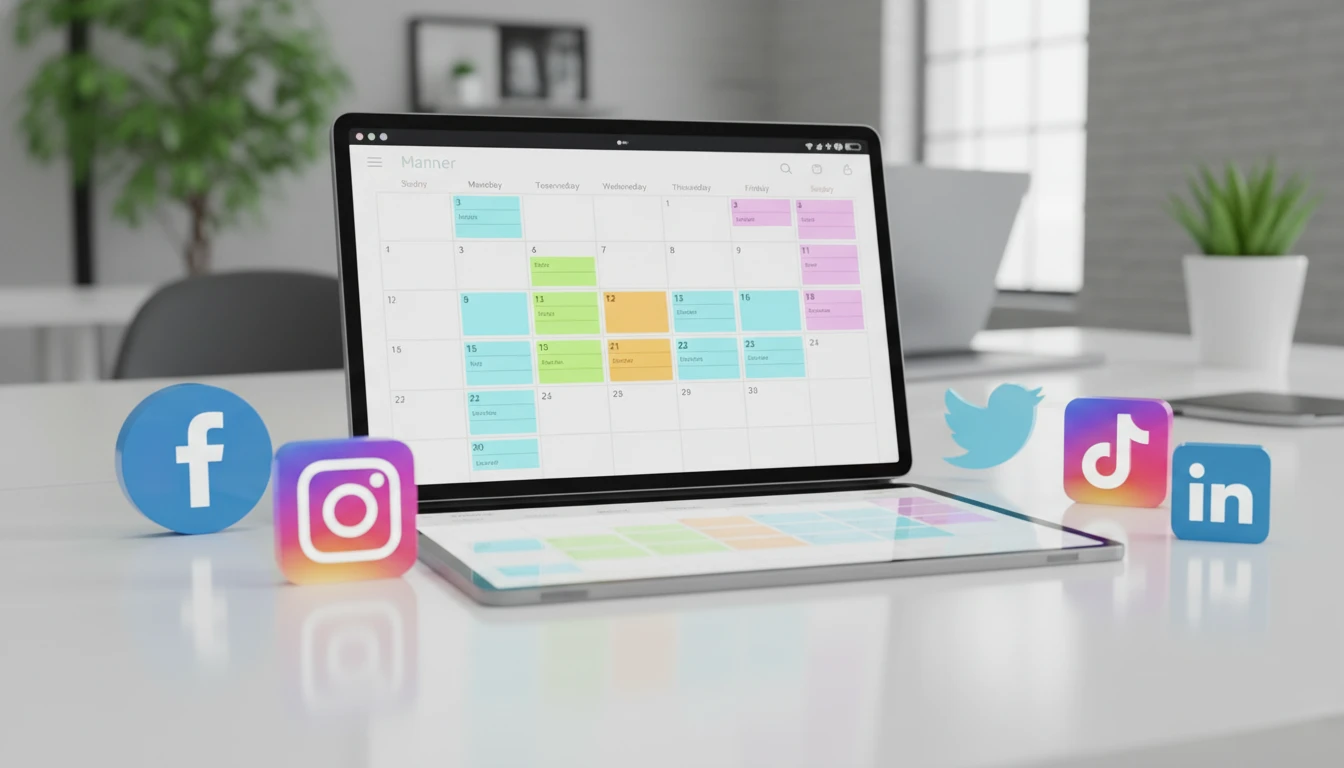
Why Use a Social Media Content Calendar?
Social media moves fast. Trends pop up daily, and there’s pressure to keep feeds fresh. A content calendar helps you plan what to post, when, and where. Instead of scrambling last minute for post ideas, you’ll have a steady flow of content ready to go. This leads to more consistent engagement and less stress.
Companies and creators who use a content calendar often spot patterns in what works and what doesn’t. This can improve the way you connect with your followers. Some brands even see higher traffic and better quality posts after building this simple habit. Content calendars also help you spot gaps and plan for important moments, like holidays, campaigns, or product launches.
Using a calendar brings clarity to your planning. For instance, it becomes simple to coordinate different social networks, review what’s been posted already, and brainstorm new angles for upcoming campaigns. Whether you’re a team of one or part of a bigger organization, it gives you both structure and flexibility as your social platforms grow. Having your content lined up gives you a clearer view of where you’ve been and where you’re headed next. Plus, this approach lets you take a breather when you need it; you’ve got posts ready instead of having to scramble every morning.
Getting Started: Key Elements of a Social Media Content Calendar
Even the most basic calendar needs a few core pieces. Here’s what you’ll want to include:
- Dates and Times: Mark when each post will go live. Scheduling keeps you on track and helps you target your audience when they’re most active.
- Platform: Note if a post is for Instagram, Twitter, Facebook, or another platform. Each one has its own vibe and posting style, so keeping this clear matters.
- Content Type: Decide if you’re posting a photo, video, poll, link, or story. Mixing up formats keeps things interesting.
- Post Copy and Media: Jot down the caption, hashtags, and upload any images or graphics. Having this all in one place avoids last minute scrambles.
- Status: Track if a post is drafted, scheduled, or already published. This helps with team coordination or just knowing what’s left to prep.
These pieces make up the backbone of any good calendar. If you’re working with a team, you can also add columns for approvals or notes on who is responsible for which part of the content creation. As your calendar evolves, you might add more categories—like campaign tags, target audience segments, or performance metrics—to really give it a boost.
Quick Guide: Setting Up a Simple Content Calendar
Getting started doesn’t need a fancy tool. I began with a basic spreadsheet and built from there. Here are some quick steps that can help:
- Choose Your Tool: Use Google Sheets, Excel, Trello, Notion, or a wall calendar. I like Google Sheets because it’s easy to update and share with others.
- Map Out Your Month: Set goals, for example, posting three times a week or running a weekly theme. Breaking it down helps keep things manageable.
- Plan Around Key Dates: Add holidays, events, and product launches first. I always leave some wiggle room for trending moments, but key dates get locked in early.
- Brainstorm Content Ideas: Mix up evergreen posts, behind the scenes peeks, and usergenerated content. Brainstorming ahead of time means you’re never stuck for ideas on a busy week.
- Set Deadlines for Prep: Block time for content creation, editing, and approvals. Having deadlines for these steps means the publishing date isn’t a mad dash.
Following these steps helped me get into a rhythm that took the guesswork, and the panic, out of staying visible online. Remember, consistency breeds results. I’ve often noticed that taking an hour or two at the start of each month solves 90% of my later stress—everything is mapped out, and any last minute items become the exception, not the rule.
As you become more comfortable, you might want to build a calendar for quarters or even the entire year. Longterm planning is especially helpful for businesses with product launches, event periods, or busy seasons. Having an overview lets you see what’s coming and gives you time to plan creative content around those big moments.
What to Think About When Building Your Calendar
A content calendar is pretty flexible, but a few things shape how you build it. Here are some points that are super important to keep in mind:
- Target Audience: Knowing who you’re writing for guides your tone, timing, and platform choices. Spend time digging into your followers’ behaviors.
- Content Mix: Most brands balance promotional posts, helpful stuff, and stuff just for fun. Keeping things varied keeps people engaged and avoids feeling too salesy.
- Posting Frequency: How often you post depends on the platform and the time you have. Daily posts might work for Twitter, but two quality posts a week work better for a personal brand on Instagram.
- Team Roles and Collaboration: If you work with a team, set up a process for submitting ideas, editing, and getting approvals. Even solo creators need a clear workflow for prepping images and doublechecking for typos.
- Measurement and Adjustments: Tracking which posts do well gives you clues on what to try again. Plan regular checkins to review analytics and update your calendar based on what’s working.
Knowing Your Audience
Spend time understanding your followers’ interests and online habits. When I started looking at follower insights, I noticed my top posts always landed when I posted during lunch breaks or evenings. Testing different times and learning from the stats helped tailor my calendar for better results. Digging into the numbers from your analytics will often show you when engagement is highest and what content gets shared or commented on. The more you know about your audience, the more you can craft posts that resonate with them.
Choosing Your Platforms
It’s tempting to try every social channel at once, but focusing on the few that matter most works better. Platforms like Facebook and Instagram serve slightly different audiences from LinkedIn or TikTok. I recommend starting with the ones you’re most comfortable on, or where your audience spends time, and building from there. Instead of running yourself ragged posting everywhere, focus on making a splash where it counts most for you.
Mixing Up Your Post Types
There’s space for everything from fun memes to deep-dive tutorials. I try to add at least one interactive post (like a poll or question) each week to boost engagement. Scheduling in a regular variety keeps your calendar from going stale. You can also build recurring themes, like “Throwback Thursdays” or “How-To Wednesdays,” which provide clicks of familiarity while keeping content diverse.
Don’t overlook behindthescenes content or real-time updates, especially when something exciting is happening with your brand or business. These kinds of posts often spur comments and shares because they make your audience feel like insiders. Sprinkling in various content types means you’ll always have something fresh for your followers and stay relevant with whatever is trending that month.
Addressing Common Challenges
No project is totally smooth, and content calendars have their own roadblocks. Knowing what to watch for helps you fix issues before they snowball.
- Staying Consistent: Sometimes life gets in the way. Batching content in advance is a lifesaver when things get busy. Those extra drafts helped me avoid posting gaps during vacation or busy work months.
- Running Out of Ideas: Content brainstorm sessions or monthly team meetings can spark new themes. I keep a running doc of post ideas to dip into whenever I’m stuck.
- Juggling Multiple Platforms: Scheduling tools (like Buffer or Later) help manage things by letting you plan ahead and queue posts for all your channels.
- Forgetting Key Dates: Sync your calendar with important events or campaign launches. Automated reminders or alerts keep you on track.
Dealing with Dry Spells
Even experienced creators hit blocks. When I can’t think of anything to post, I go back to old topperformers for inspiration or ask my followers what they want to see more of. Building a little buffer of evergreen content—stuff that works any time—means you’ll never be left empty handed. It’s also smart to check in with team members or friends for outside ideas; sometimes a fresh perspective can spark new content opportunities.
Managing Workflow with a Team
If you’re planning content with others, clear roles help avoid confusion. Set up shared calendars, labels, or color codes to make it obvious what’s in progress. I like using checklists in Trello, so everyone knows what needs doing next and nothing slips through the cracks. Communication is key. Have regular standups or sync meetings, so feedback flows and your schedule stays realistic and up to date.
Advanced Tips and Tools for Next Level Calendars
Once you’ve nailed the basics, growing your calendar can add more creativity and automation. These are some approaches that worked well for me:
Use Social Media Management Apps: Apps like Hootsuite, Buffer, and Sprout Social let you schedule, review analytics, and even join forces with a team. I found Buffer’s browser extension pretty handy for quickly saving content ideas to my queue.
Color Coding and Labels: Adding color codes or tags for content themes, platforms, or campaign types helps you spot gaps and keep your mix consistent. Visual cues are a huge help when scanning a busy calendar.
Tracking Analytics: Build in time to track performance. Noticing which posts spike engagement makes your next calendar more effective and saves tons of guesswork. Set aside time every week or two to look over your analytics and tweak your approach based on what’s working and what’s not.
Repurposing Content: Turn top performing blog posts into bite sized social content, or split a video into stories, posts, and pins. Repurposing means your best work gets more mileage without starting from scratch every time. This also fills the holes in your calendar quickly, so you stay consistent even on your busiest days.
Tools and strategies like these have helped me stay organized while running multiple accounts or campaigns at once. Automation isn’t just about saving time—it’s about clearing your plate so you can focus on creativity and connection. The more routine tasks you put on autopilot, the more energy you save for coming up with new, original content.
What Your Content Calendar Looks Like in Action
Ever wonder what a practical calendar setup might include? Here are a few real world examples:
- Weekly Planner: Block out themes—Motivation Monday, Tip Tuesday, Feature Friday. Plug in content ideas for each day. Review and update each week to stay on track.
- Campaign Calendar: For big events (like a launch or giveaway), break things down day by day: teaser posts, reminders, usergenerated spotlights, and the wrap up. Seeing the whole flow helps you spot any missing pieces.
- Seasonal Content: For businesses or creators working around seasonal trends, I like batching content for holidays and busy times well ahead. This way, there’s always something timely scheduled.
Staying flexible is important. I make changes all the time when something newsworthy happens, or if a post unexpectedly flops. That’s the benefit of planning ahead: you have a roadmap but can quickly adapt to what’s happening now. Don’t be afraid to pivot if a piece isn’t landing as expected—sometimes the best content is the one you come up with on the fly because it’s super relevant.
Try setting up reminders for key checkins, too. I make it a habit to do a quick scan of my calendar at the end of each week, marking what worked and making tweaks if something fell flat. This ties your schedule to actual results, and helps build smarter habits over time.
FAQ: Answers to Common Social Media Calendar Questions
These are some of the questions I hear all the time about content calendar planning:
Question: How far ahead should I plan my content?
Answer: I usually build a month at a time, but review things weekly to stay flexible. If there’s a big campaign or holiday season, planning six weeks ahead gives you plenty of runway. For ongoing brands, having both a short term and long term view is helpful, so you’re not caught off guard when a holiday or annual event sneaks up.
Question: Do I need a scheduler, or is a spreadsheet enough?
Answer: A spreadsheet is great for getting started. Schedulers like Buffer save time as you grow, but a plain doc works fine for solo creators or smaller teams. The right tool depends on your goals and how much you plan to scale your content in the future. Be open to changing tools as your process gets bigger.
Question: How do I adjust my calendar if a post doesn’t do well?
Answer: Look at what worked and didn’t—was the timing off, or was the format not a good fit? Tweaking your calendar based on these results makes your next month stronger. I often swap out ideas on the fly if something unexpected happens or sparks get more attention than usual. Remember, fixing what’s not working is part of the process anywhere in digital marketing.
Question: Should I work with templates or start fresh every month?
Answer: Templates make repeat tasks easier. I use templates for weekly themes and routine post types, which speeds up planning and lets me focus on creative projects or new campaigns as they come up. Customizing just the last details saves a ton of time and keeps you from reinventing the wheel with every planning session.
Beginner Friendly Tools to Get Organized
A lot of tools can help organize and automate your social media workflow. Here are a few I recommend, even if you’re just starting out:
- Google Sheets & Excel: Free and super flexible, you control the format. Great for keeping it simple or teaming up with others.
- Trello or Asana: Let you add checklists, labels, and deadlines, which is handy for team projects or keeping your workflow on track.
- ContentCal, Buffer, Hootsuite: These platforms bundle calendars with scheduling, analytics, and join forces tools. They’re worth checking out as you scale.
- Canva or Adobe Express: Draganddrop designers for making quick, good looking graphics to attach to each post. No design skills required—a huge plus when you want eye catching visuals in less time.
Testing out different tools helped me find the workflow that fit best with my routine and content mix. Starting simple is always a smart move. You can upgrade or automate as things become more complex or you grow your presence. Don’t be afraid to experiment and switch things up if something isn’t working for you.
Digital marketing is always changing, so go with tools that are easy to adapt as platforms update their features or as your business grows. The better your system, the smoother your content creation becomes, freeing you up to focus on connecting with your audience rather than just crossing things off a list.
Final Thoughts
Building a social media content calendar isn’t just about posting more; it’s about planning with intention so your brand or creative work has the best shot at making an impact. The upfront effort pays off with more time saved, less stress, and better online consistency. Once I started planning my posts this way, it felt less like busy work and more like building something meaningful. Try building your own calendar today, and watch your ideas take off across your favorite platforms. Better planning means your message lands well, your community stays engaged, and your goals are within reach every month. Give it a go, and let your story shine online.
Comments
Creating A Social Media Content Calendar — No Comments
HTML tags allowed in your comment: <a href="" title=""> <abbr title=""> <acronym title=""> <b> <blockquote cite=""> <cite> <code> <del datetime=""> <em> <i> <q cite=""> <s> <strike> <strong>